
Applying for API Service
To use OpenAPI, you must first open a TradeUP account and complete a deposit. Users can use OpenAPI for free as long as they have an active and funded TradeUP account. OpenAPI is a free service—there are no additional fees for orders placed via OpenAPI.
OpenAPI is suitable for quantitative investors with a basic understanding in quantitative trading strategies and a working knowledge of software development.
For Individual Investors
Simply open and fund your TradeUP account in order to apply for OpenAPI access. Login to your TradeUP account on the Developer Platform to complete the onboarding process.
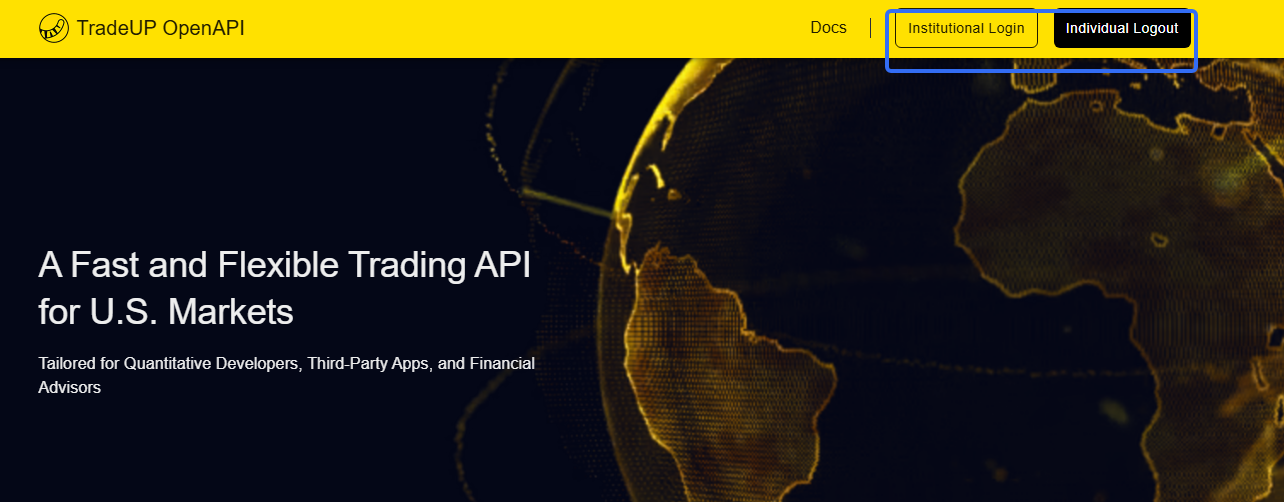
We recommend using Chrome browser to open.**Please note your OpenAPI Account ID differs from your TradeUP Account ID.
Developer Information Page: Tiger ID, live account, paper account, license and other information need to be used in OpenAPI.
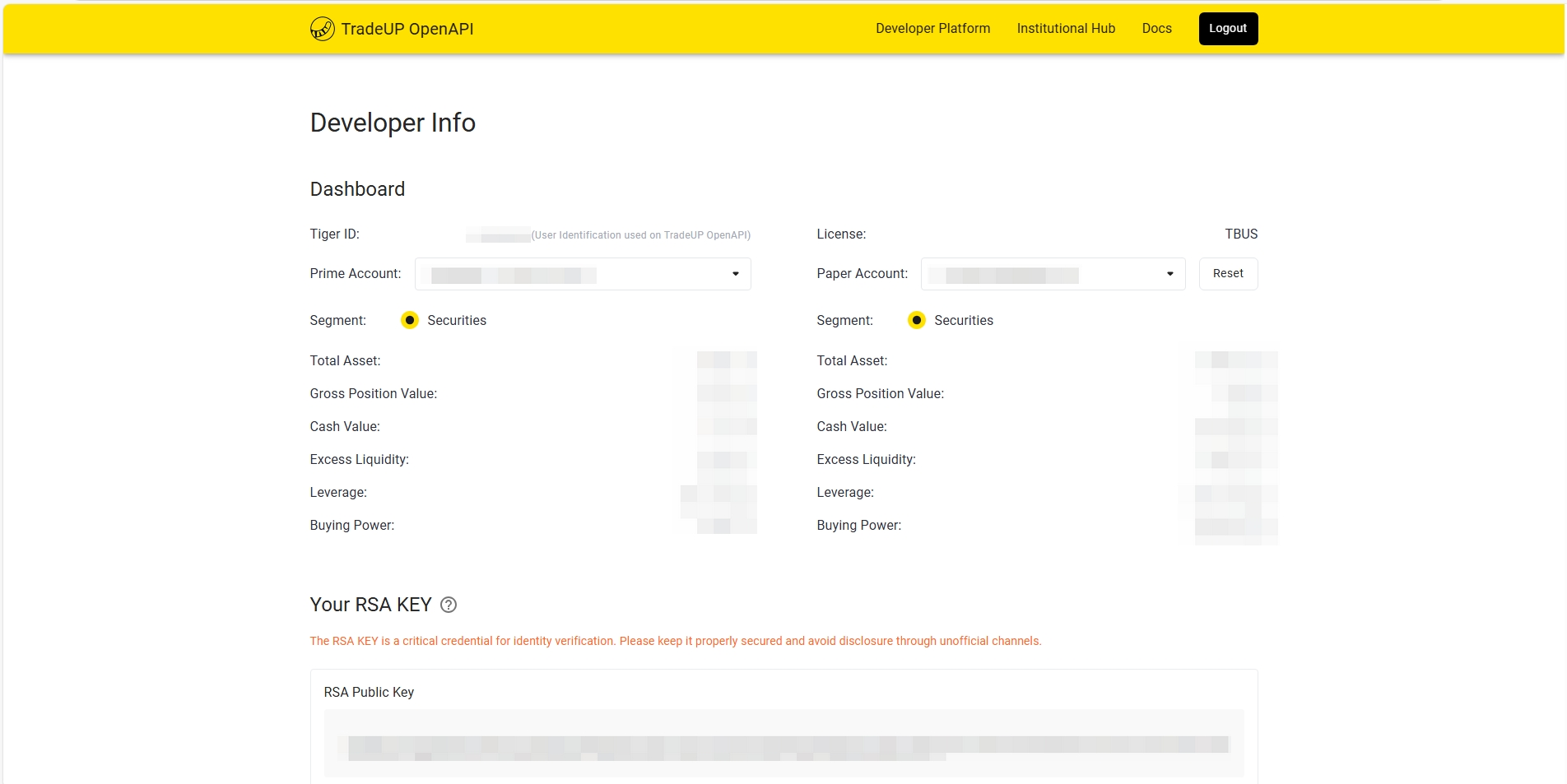
Note: You need to save the private key part locally and keep it properly to prevent leakage. If leakage is discovered, please update it promptly. The private key will not be saved on TradeUP's servers, and clients need to save or download it themselves. If clients accidentally lose or forget the private key, they can regenerate it.
After regenerating, download the tiger_openapi_config.properties file locally. Copy the tiger_openapi_config.properties file to the directory configured by ClientConfig.DEFAULT_CONFIG.configFilePath.
The content format of the tiger_openapi_config.properties file is as follows. The account is the default account, which can be switched between live fund account and paper account.
private_key_pk1=MIICXgIBAAKBgQCodM4fM5cz+tj8SUuxxSbSMFxNHM23hftjAuXr9THweyFtTmA/mxwo9HYEhYjxCgYAJt78xbzw7aiKu+pI45O8il8ns6UL3mT59QlCKu0+FZmF2g54teyqoiol71xcM096D3ss0oJzKGt+btvlBzdcrXM6+pZqbK14ASWGE4uBEQIDAQABAoGAX5iBjFVTngzhbDIQAZ73C9qj1qLc3yPqZ+KyJbgskeLeMlCC8DWOwnMQMjqxXtAoXZexfVKdiT/lIG3JY3m6URzfYwJt5VUD9LeIcyPxuj7Eg2vxlZwJ6slT7DQ6LJCbUe1PUDlKKXYe/wEUNJ3dEJ/eFEhR8vNyFlW8DJj+az0CQQDhQwYUZIcq+9WDcSen5Sm5oS765aMAyWcOdkpokau+fZ/H9NwT0U+jaEHyswZMJBTDJ42iS8HV0MuGdtLJ7JzHAkEAv3Fq1AHHJ1Tyxtf/VWHBRfx304NFlDX87Ji7uyv1t+05ZYVT0U8Q5CUPdBA3QexMBKd1i6BXUH/xOY5aX+UrZwJBAKR7ej79wK0kQh2+TESOUs9W4KUXdNSoO3YV7fM5Gvz3Yepx4xkdZ1dcU3tSObDzT63IfeUaCCmGUnaW4QfMnBUCQQCMOsK6mrbLe7D9sBgK7bkJz73iA+UChG1IzTOuDaxGVpDVaU0VI2pHA1KHfJ1NP44LVrKGXSO4Bo+mzjwqxA3/AkEApA8roUKXtKTqC2rb8hs5AscMpHFUl7ZbVeKX14gAg9QPWxkh8BcB1dljAsrp7irEtq4VezD2Cf40b52Fcx+pvA==
private_key_pk8=MIICeAIBADANBgkqhkiG9w0BAQEFAASCAmIwggJeAgEAAoGBAKh0zh8zlzP62PxJS7HFJtIwXE0czbeF+2MC5ev1MfB7IW1OYD+bHCj0dgSFiPEKBgAm3vzFvPDtqIq76kjjk7yKXyezpQveZPn1CUIq7T4VmYXaDni17KqiKiXvXFwzT3oPeyzSgnMoa35u2+UHN1ytczr6lmpsrXgBJYYTi4ERAgMBAAECgYBfmIGMVVOeDOFsMhABnvcL2qPWotzfI+pn4rIluCyR4t4yUILwNY7CcxAyOrFe0Chdl7F9Up2JP+UgbcljebpRHN9jAm3lVQP0t4hzI/G6PsSDa/GVnAnqyVPsNDoskJtR7U9QOUopdh7/ARQ0nd0Qn94USFHy83IWVbwMmP5rPQJBAOFDBhRkhyr71YNxJ6flKbmhLvrlowDJZw52SmiRq759n8f03BPRT6NoQfKzBkwkFMMnjaJLwdXQy4Z20snsnMcCQQC/cWrUAccnVPLG1/9VYcFF/HfTg0WUNfzsmLu7K/W37TllhVPRTxDkJQ90EDdB7EwEp3WLoFdQf/E5jlpf5StnAkEApHt6Pv3ArSRCHb5MRI5Sz1bgpRd01Kg7dhXt8zka/Pdh6nHjGR1nV1xTe1I5sPNPrch95RoIKYZSdpbhB8ycFQJBAIw6wrqatst7sP2wGArtuQnPveID5QKEbUjNM64NrEZWkNVpTRUjakcDUod8nU0/jgtWsoZdI7gGj6bOPCrEDf8CQQCkDyuhQpe0pOoLatvyGzkCxwykcVSXtltV4pfXiACD1A9bGSHwFwHV2WMCyunuKsS2rhV7MPYJ/jRvnYVzH6m8
tiger_id=20150001
account=12345678
license=TBHK
env=PROD
For Institutional Investors
Once your account has been opened and funded, you can log in to your TradeUP account on the Institutional Hub. Head to Trade Setting > OpenAPI Authority to complete the onboarding process.
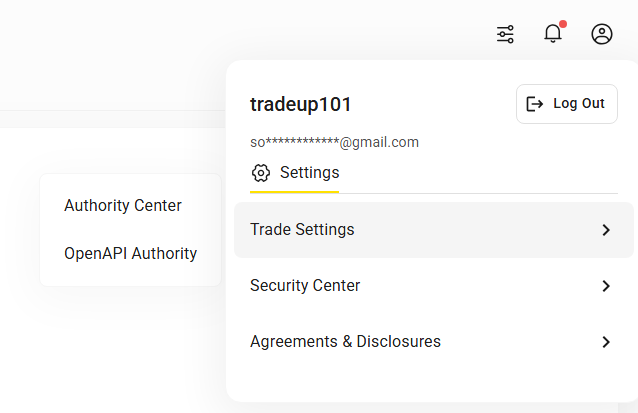
You can obtain public and private keys on the basic configuration page
- When enabling or regenerating public and private keys, you only need to click "Get Public and Private Keys" to automatically generate the key information.
- If you don't need the keys we generate, you can choose custom, copy and paste your public key into the form to complete saving and confirmation.
Note: You need to save the private key part locally and keep it properly to prevent leakage. If leakage is discovered, please update it promptly. The private key will not be saved on TradeUP's servers, and clients need to save or download it themselves. If clients accidentally lose or forget the private key, they can regenerate it.
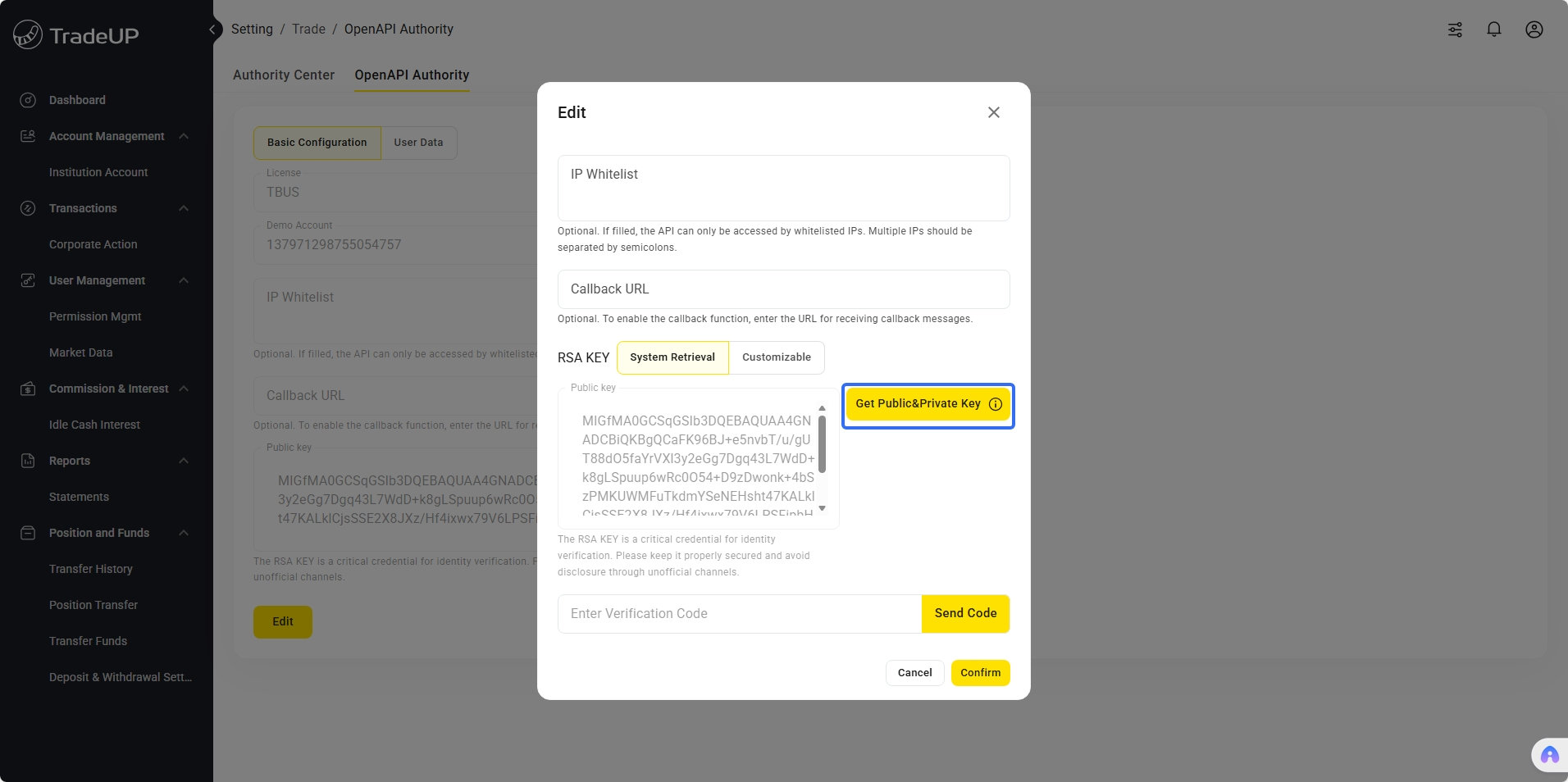
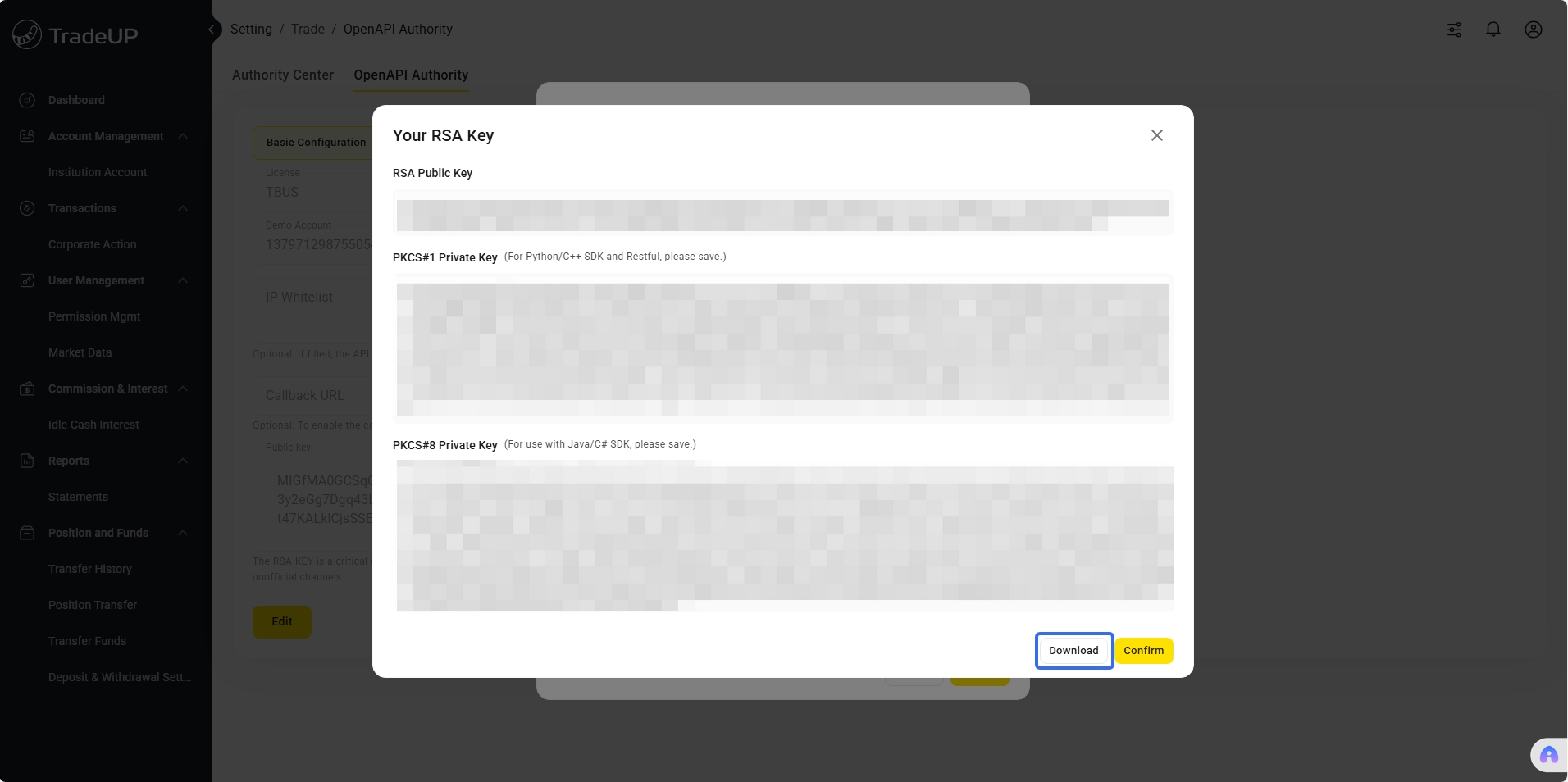
The generated configuration file tiger_openapi_config.properties has the following format. The account is the default account, which can be switched between live trading account and paper trading account. For institutional accounts, you also need to configure secret_key (obtained from the Institutional Hub).
private_key_pk1=MIICXgIBAAKBgQCodM4fM5cz+tj8SUuxxSbSMFxNHM23hftjAuXr9THweyFtTmA/mxwo9HYEhYjxCgYAJt78xbzw7aiKu+pI45O8il8ns6UL3mT59QlCKu0+FZmF2g54teyqoiol71xcM096D3ss0oJzKGt+btvlBzdcrXM6+pZqbK14ASWGE4uBEQIDAQABAoGAX5iBjFVTngzhbDIQAZ73C9qj1qLc3yPqZ+KyJbgskeLeMlCC8DWOwnMQMjqxXtAoXZexfVKdiT/lIG3JY3m6URzfYwJt5VUD9LeIcyPxuj7Eg2vxlZwJ6slT7DQ6LJCbUe1PUDlKKXYe/wEUNJ3dEJ/eFEhR8vNyFlW8DJj+az0CQQDhQwYUZIcq+9WDcSen5Sm5oS765aMAyWcOdkpokau+fZ/H9NwT0U+jaEHyswZMJBTDJ42iS8HV0MuGdtLJ7JzHAkEAv3Fq1AHHJ1Tyxtf/VWHBRfx304NFlDX87Ji7uyv1t+05ZYVT0U8Q5CUPdBA3QexMBKd1i6BXUH/xOY5aX+UrZwJBAKR7ej79wK0kQh2+TESOUs9W4KUXdNSoO3YV7fM5Gvz3Yepx4xkdZ1dcU3tSObDzT63IfeUaCCmGUnaW4QfMnBUCQQCMOsK6mrbLe7D9sBgK7bkJz73iA+UChG1IzTOuDaxGVpDVaU0VI2pHA1KHfJ1NP44LVrKGXSO4Bo+mzjwqxA3/AkEApA8roUKXtKTqC2rb8hs5AscMpHFUl7ZbVeKX14gAg9QPWxkh8BcB1dljAsrp7irEtq4VezD2Cf40b52Fcx+pvA==
private_key_pk8=MIICeAIBADANBgkqhkiG9w0BAQEFAASCAmIwggJeAgEAAoGBAKh0zh8zlzP62PxJS7HFJtIwXE0czbeF+2MC5ev1MfB7IW1OYD+bHCj0dgSFiPEKBgAm3vzFvPDtqIq76kjjk7yKXyezpQveZPn1CUIq7T4VmYXaDni17KqiKiXvXFwzT3oPeyzSgnMoa35u2+UHN1ytczr6lmpsrXgBJYYTi4ERAgMBAAECgYBfmIGMVVOeDOFsMhABnvcL2qPWotzfI+pn4rIluCyR4t4yUILwNY7CcxAyOrFe0Chdl7F9Up2JP+UgbcljebpRHN9jAm3lVQP0t4hzI/G6PsSDa/GVnAnqyVPsNDoskJtR7U9QOUopdh7/ARQ0nd0Qn94USFHy83IWVbwMmP5rPQJBAOFDBhRkhyr71YNxJ6flKbmhLvrlowDJZw52SmiRq759n8f03BPRT6NoQfKzBkwkFMMnjaJLwdXQy4Z20snsnMcCQQC/cWrUAccnVPLG1/9VYcFF/HfTg0WUNfzsmLu7K/W37TllhVPRTxDkJQ90EDdB7EwEp3WLoFdQf/E5jlpf5StnAkEApHt6Pv3ArSRCHb5MRI5Sz1bgpRd01Kg7dhXt8zka/Pdh6nHjGR1nV1xTe1I5sPNPrch95RoIKYZSdpbhB8ycFQJBAIw6wrqatst7sP2wGArtuQnPveID5QKEbUjNM64NrEZWkNVpTRUjakcDUod8nU0/jgtWsoZdI7gGj6bOPCrEDf8CQQCkDyuhQpe0pOoLatvyGzkCxwykcVSXtltV4pfXiACD1A9bGSHwFwHV2WMCyunuKsS2rhV7MPYJ/jRvnYVzH6m8
tiger_id=20150001
account=12345678
license=TBHK
env=PROD
secret_key=fcfca571-71db-35c1-9352-9a557cc8258d
After successful registration, you can obtain the following information in user profile:
- Username: The name used when logging into the institution center
- User ID: User ID
- Tiger ID: Developer unique identifier (required parameter for all API calls)
- Secret Key: Trader key, institutional users need to set this key in the config.properties configuration file for secure authentication of API requests
- Account ID: User's fund account ID, which needs to be used when requesting trading-related interfaces. Click the "Edit" button on the page to view the corresponding Account ID under the user
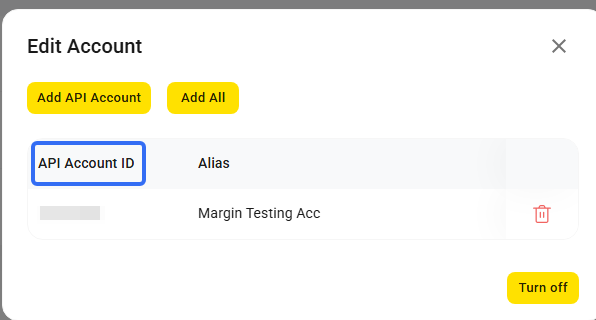
Special Note
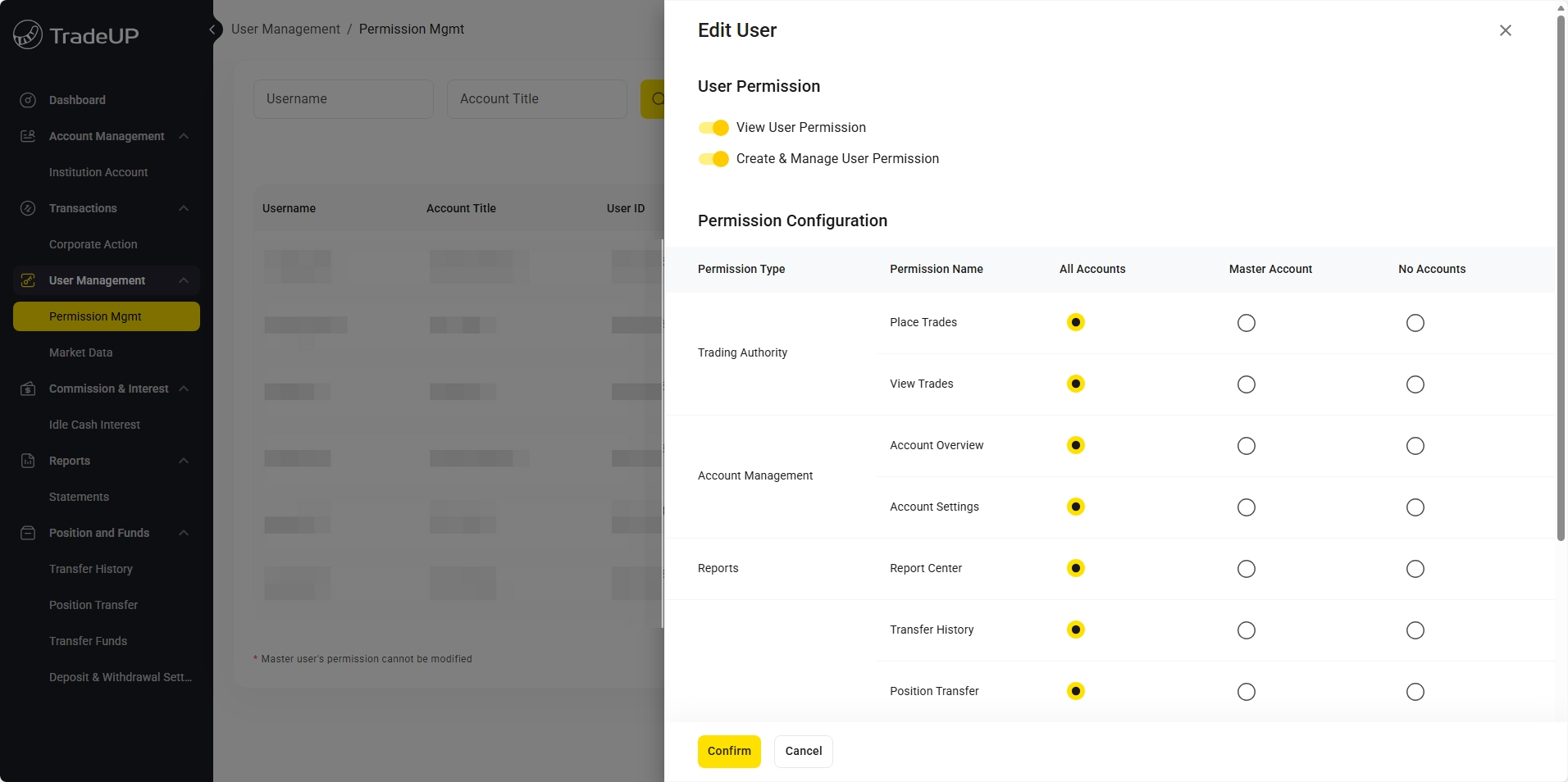
Each User ID corresponds to one Tiger ID, and each Tiger ID can establish one long connection. If multiple long connections are needed, you can achieve this by creating multiple Users. You can go to User Management - Manage User Permissions to add new users, then go to the API permissions interface and click Add New User Profile to add new users.
Institutional users will be required to enter a secret_key in the properties configuration file, which you can find circled below.
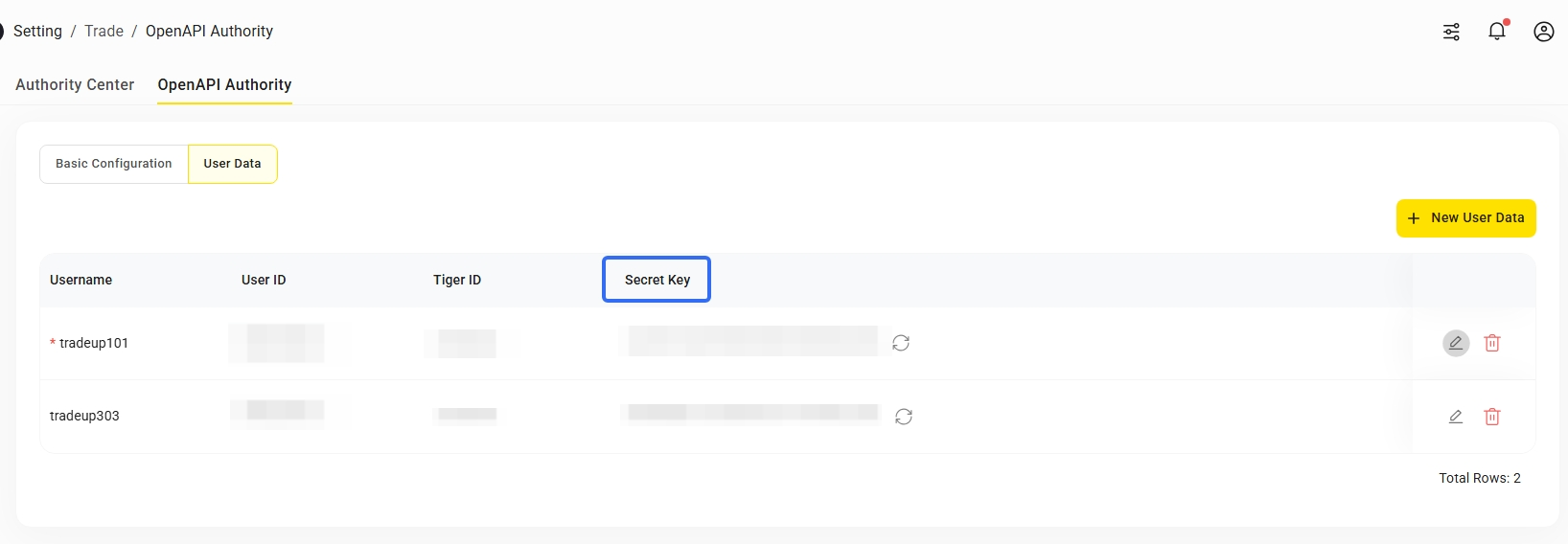
The API request permissions corresponding to each User ID are subject to the permission settings in the manage user permissions. You can limit the user's view, trading, assets and other permissions for each account according to roles.
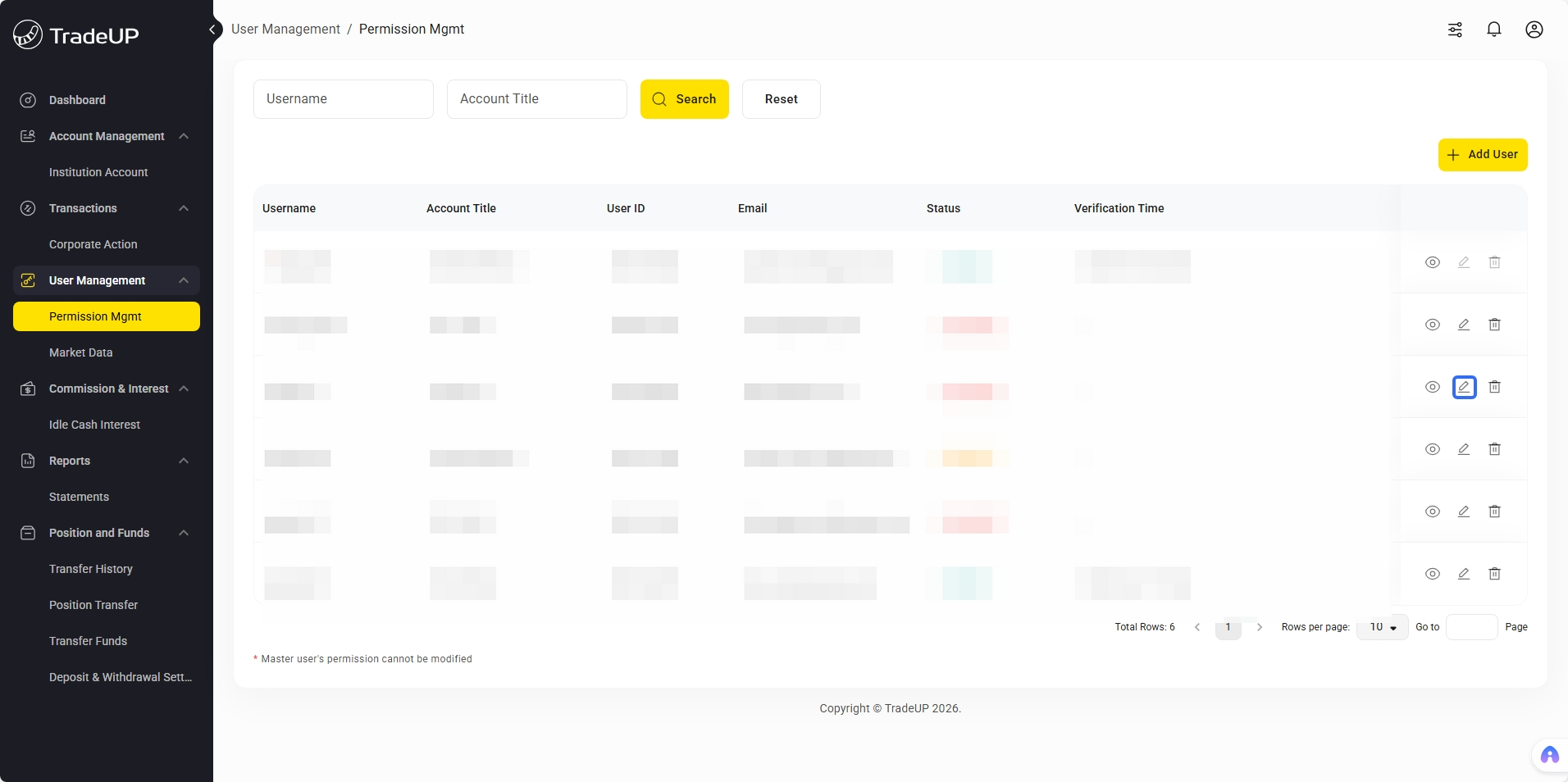
Developer Registration Information
During the OpenAPI registration process, you will be asked to sign an API authorization agreement. You will then be prompted to fill in your preferred account configuration and click “update”:
| Name | Description |
|---|---|
| RSA public key | Auto-generated. The RSA public key ensures the security of your account. |
| IP Whitelist | Optional. If populated, only IP addresses in the whitelist will be able to access OpenAPI. Use “;" to separate multiple IP addresses. |
| Callback URL | Optional. A customized callback URL for the user’s program, used to receive updates on order and account statuses. Users may also use the callback function provided in the SDK in order to receive callback messages. |
Upon successful registration, you will obtain the following:
TigerID: A unique Developer ID assigned by the OpenAPI platform. Used to identify each developer; you must input your TigerID when implementing OpenAPI in order to access OpenAPI services.
Account: Account number, you must pass in your account number when calling trade-related APIs. There are 2 types of accounts: Live Account and Paper Account.
- Live Account: 5 - 10 digit number (e.g. 51230321)
- Paper Account: 17 digit number (e.g. 20191106192858300)
Only active accounts with a balance will be displayed in your Developer Platform or Institutional Hub OpenAPI Authority. If a user has both an active Live Account and a Paper Account, they will both be shown on the OpenAPI Dashboard.
RSA Keys**
OpenAPI uses RSA encryption for authentication. The RSA bidirectional signature authentication mechanism is used to prevent interface requests from being maliciously tampered with. Users must save their private keys locally.
Please store your private key in a local and secure place to prevent unauthorized exposure or loss of personal information.
Your private key will not be stored on TradeUP’s server and will disappear automatically when the page is refreshed. If you fail to save your private key, it may be replaced by clicking the re-generate button.
Attention:
- Java SDK: Requires PKCS#8 format private key
- Python SDK: Requires PKCS#1 format private key
Note: When SDK calls encounter exceptions, please first check private key format compatibility
Updated 4 months ago